 ADevGuide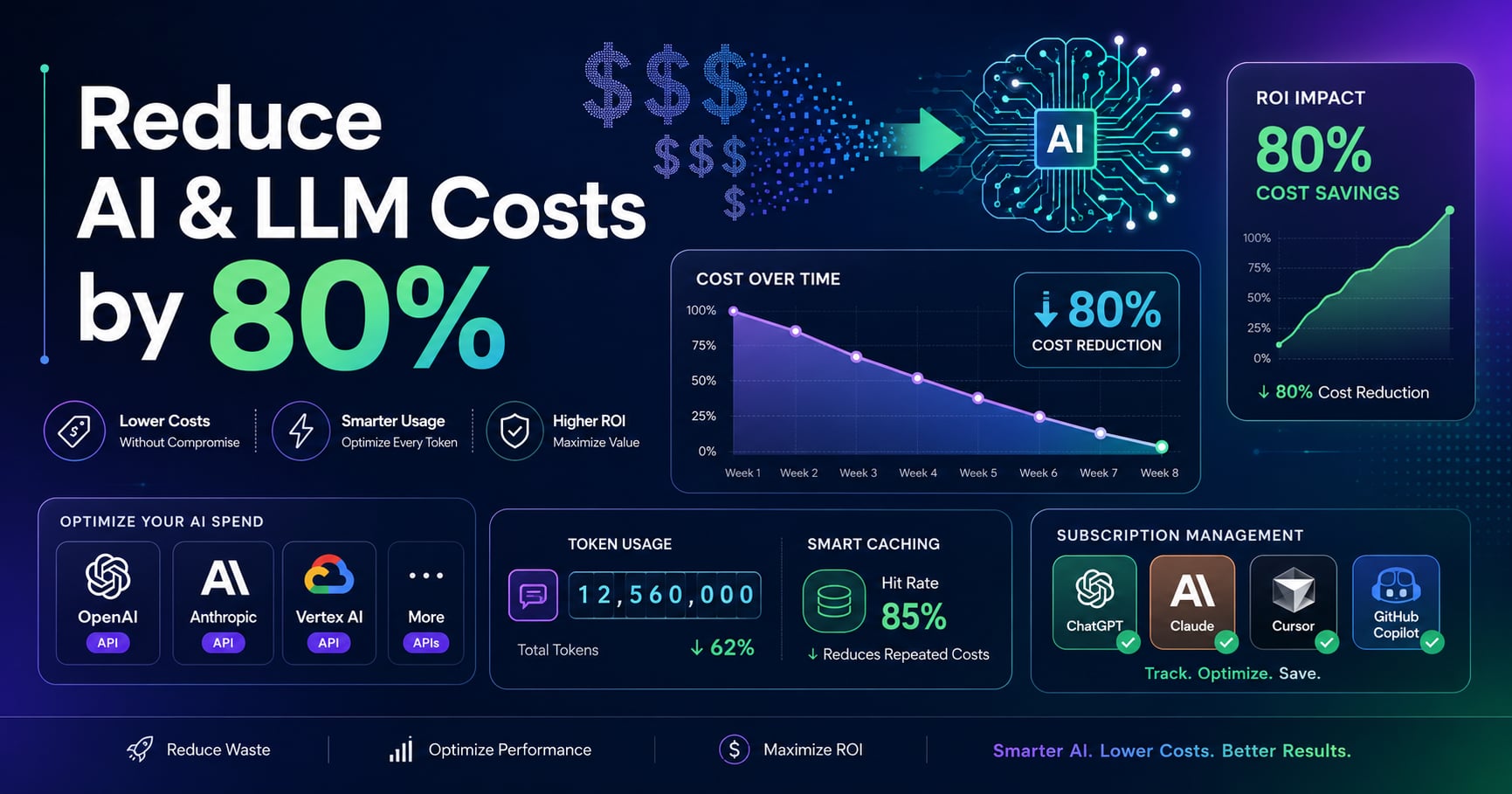
You’re using ChatGPT Plus, Claude Pro, and GitHub Copilot. That’s $60/month. Then you add API calls for your side project—another $50. Suddenly, you’re spending $1,300+ per year on AI tools. Most developers are paying too much while using less than 40% of what they’re subscribed to.
This guide shows you how to reduce AI and LLM costs by up to 80% without sacrificing quality. You’ll learn subscription optimization strategies, API cost-cutting techniques, and practical workflows that maximize value from every dollar spent.
Table of Contents
Open Table of Contents
- Understanding AI Cost Structure
- Maximizing Subscription Value
- API Cost Optimization Strategies
- Prompt Engineering for Efficiency
- Smart Model Selection
- Caching and Context Management
- Monitoring and Budget Controls
- Real-World Cost Comparison
- Frequently Asked Questions
- Should I use subscriptions or pay-per-use APIs?
- Which is cheaper: GPT-4o or Claude 3.5 Sonnet?
- How much can caching reduce costs?
- What’s the break-even point for running local LLMs?
- How do I prevent unexpected AI bills?
- Is ChatGPT Plus worth it for developers?
- What are hidden costs I should watch for?
- Should I use GPT-4o-mini or GPT-4o?
- Can I share subscriptions to save money?
- How much does prompt engineering actually save?
- Conclusion
- References
- YouTube Videos
Understanding AI Cost Structure
Before optimizing costs, understand how AI services charge you. There are two main models: subscription-based and usage-based (pay-per-token).
Subscription-Based Pricing
Fixed monthly fees for unlimited or high-volume usage:
- ChatGPT Plus: $20/month (GPT-4 access, higher rate limits)
- Claude Pro: $20/month (Claude 3.5 Sonnet, 5x higher limits)
- GitHub Copilot: $10/month (code completion, chat)
- Cursor Pro: $20/month (AI-powered IDE)
Key insight: Subscriptions are cost-effective when you hit usage thresholds. If you use GPT-4 for 100+ requests daily, $20/month beats API pricing.
Usage-Based (API) Pricing
Pay per million tokens processed (input + output):
GPT-4 Turbo:
- Input: $10 / 1M tokens
- Output: $30 / 1M tokens

GPT-4o:
- Input: $2.50 / 1M tokens
- Output: $10 / 1M tokens

Claude 3.5 Sonnet:
- Input: $3 / 1M tokens
- Output: $15 / 1M tokens

Claude 3 Haiku:
- Input: $0.25 / 1M tokens
- Output: $1.25 / 1M tokens
Token calculation: Approximately 750 words = 1,000 tokens. A typical code review with 500 lines of code + explanation uses ≈2,000 tokens.
Hidden Costs
Watch for these often-overlooked expenses:
- Context window usage: Larger contexts = more input tokens charged
- Retry logic: Failed requests that retry multiply costs
- Streaming overhead: Small but cumulative token processing
- Image processing: Vision models charge separately (GPT-4V: $0.01275 per image)
Maximizing Subscription Value
Subscriptions are fixed costs—maximize their value before adding API usage.
Strategy 1: Consolidate Tools
Instead of paying for multiple subscriptions, choose complementary services:
Cost-effective combination:
- GitHub Copilot ($10/month) for coding
- ChatGPT Plus ($20/month) for general reasoning, brainstorming, and non-code tasks
- Total: $30/month
Wasteful combination:
- Cursor Pro ($20/month)
- GitHub Copilot ($10/month)
- ChatGPT Plus ($20/month)
- Claude Pro ($20/month)
- Total: $70/month with 70% feature overlap
Strategy 2: Leverage Free Tiers First
Before subscribing, exhaust free options:
- Claude.ai: Free tier with Claude 3.5 Sonnet (rate-limited)
- ChatGPT Free: GPT-4o mini access
- Gemini: Free access to Gemini 1.5 Pro
- Copilot (Students/OSS): Free for verified students and open-source maintainers
Real-world example: A developer building a portfolio site used Claude’s free tier for architecture planning (50 messages/day limit) and only upgraded when building a production SaaS that required 200+ daily interactions.
Strategy 3: Share Subscriptions (Where Allowed)
GitHub Copilot for Business allows team licensing at volume discounts:
- Individual: $10/month/user
- Business (5+ users): $19/month/user but includes admin controls and IP protections
- Enterprise (100+ users): Custom pricing with centralized billing
Savings calculation: For a 3-person team building a startup:
- 3 individual Copilot licenses: 3 × $10 = $30/month
- Alternative: Use free tier during development, upgrade one person to Pro when needed
Strategy 4: Subscription Rotation
If you’re between projects, downgrade or pause:
- Pause ChatGPT Plus when you’re in a heads-down coding sprint using Copilot
- Reactivate Claude Pro only during architecture design phases
- Downgrade to free tiers during low-usage months
Average savings: $15-30/month by avoiding simultaneous subscriptions
API Cost Optimization Strategies
When using APIs directly (OpenAI, Anthropic, etc.), costs scale with usage. Optimize every request.
Technique 1: Choose the Right Model Per Task
Not every task needs GPT-4. Match model capability to task complexity:
// Expensive approach: Use GPT-4 for everything
async function generateResponse(prompt: string) {
  return await openai.chat.completions.create({
    model: "gpt-4-turbo",  // $10/1M input tokens
    messages: [{ role: "user", content: prompt }]
  });
}

// Cost-optimized approach: Route by complexity
async function generateResponse(prompt: string, complexity: "simple" | "complex") {
  const model = complexity === "simple"
    ? "gpt-4o-mini"      // $0.15/1M input tokens (66x cheaper!)
    : "gpt-4o";           // $2.50/1M input tokens

  return await openai.chat.completions.create({
    model,
    messages: [{ role: "user", content: prompt }]
  });
}
Task routing guide:
- Simple classification/extraction: GPT-4o-mini, Claude 3 Haiku
- Code generation/debugging: GPT-4o, Claude 3.5 Sonnet
- Complex reasoning/architecture: GPT-4 Turbo, Claude 3.5 Opus (when released)
Technique 2: Reduce Context Window Size
The bigger your context, the more you pay per request.
// Wasteful: Send entire 10,000-line codebase
const expensiveRequest = {
  model: "gpt-4o",
  messages: [{
    role: "user",
    content: `Here's my entire codebase:\n\n${entireCodebase}\n\nFix this bug in utils.ts`
  }]
};
// Cost: ~15,000 tokens input = $0.0375 per request

// Optimized: Send only relevant files
const optimizedRequest = {
  model: "gpt-4o",
  messages: [{
    role: "user",
    content: `Here's utils.ts and the error log:\n\n${relevantFile}\n\nFix this bug`
  }]
};
// Cost: ~1,500 tokens input = $0.00375 per request (10x cheaper)Strategy: Use embeddings or semantic search to find relevant context before sending to LLM.
Technique 3: Implement Response Caching
Don’t regenerate identical responses. Cache results for repeated queries.
import { createClient } from "redis";

const redis = createClient();
const CACHE_TTL = 3600; // 1 hour

async function getCachedCompletion(prompt: string, model: string) {
  const cacheKey = `llm:${model}:${hashPrompt(prompt)}`;

  // Check cache first
  const cached = await redis.get(cacheKey);
  if (cached) {
    console.log("Cache hit - $0 cost");
    return JSON.parse(cached);
  }

  // Cache miss - call API
  const response = await openai.chat.completions.create({
    model,
    messages: [{ role: "user", content: prompt }]
  });

  await redis.setEx(cacheKey, CACHE_TTL, JSON.stringify(response));
  return response;
}

function hashPrompt(prompt: string): string {
  return crypto.createHash("sha256").update(prompt).digest("hex");
}
Real-world impact: A code documentation generator reduced costs by 65% by caching function explanations for 24 hours.
Technique 4: Batch Requests
Combine multiple small requests into one larger request when possible.
// Expensive: 10 separate API calls
for (const file of files) {
  await analyzeSentiment(file.content); // 10 × $0.001 = $0.01
}

// Optimized: 1 batched API call
const batchPrompt = files
  .map((f, i) => `File ${i + 1}:\n${f.content}`)
  .join("\n\n---\n\n");

const result = await openai.chat.completions.create({
  model: "gpt-4o-mini",
  messages: [{
    role: "user",
    content: `Analyze sentiment for each file:\n\n${batchPrompt}`
  }]
}); // 1 × $0.003 = $0.003 (3x cheaper)Limitation: Batching works for independent tasks. Sequential reasoning requires separate calls.
Prompt Engineering for Efficiency
Better prompts = fewer tokens = lower costs.
Principle 1: Be Specific and Concise
❌ Wasteful prompt (500 tokens):
"I have this React component that handles user authentication and I'm trying to figure out how to make it work better. It's not really working the way I want and I think there might be some issues with how the state is being managed. Can you help me understand what's wrong and maybe suggest some improvements? Here's the code..."

✅ Efficient prompt (150 tokens):
"Fix state management in this React auth component. Current issue: token doesn't persist after refresh.

```tsx
[code]
Expected: token stored in localStorage and restored on mount.”
**Savings**: 70% fewer input tokens per request.

### Principle 2: Use System Messages

System messages set context once instead of repeating instructions:

```typescript
// Inefficient: Repeat context in every message
const response1 = await openai.chat.completions.create({
  messages: [
    { role: "user", content: "You are a senior TypeScript developer. Fix this bug: [code]" }
  ]
});

const response2 = await openai.chat.completions.create({
  messages: [
    { role: "user", content: "You are a senior TypeScript developer. Review this PR: [code]" }
  ]
});

// Efficient: Set context once with system message
const systemMessage = {
  role: "system",
  content: "You are a senior TypeScript developer. Provide concise, production-ready solutions."
};

const response1 = await openai.chat.completions.create({
  messages: [
    systemMessage,
    { role: "user", content: "Fix this bug: [code]" }
  ]
});

const response2 = await openai.chat.completions.create({
  messages: [
    systemMessage,
    { role: "user", content: "Review this PR: [code]" }
  ]
});
Principle 3: Request Structured Output
JSON responses are more concise than prose:
// Verbose response (300 tokens output)
const prose = await openai.chat.completions.create({
  messages: [{
    role: "user",
    content: "Analyze this API response and tell me what fields are present"
  }]
});
// Response: "Looking at your API response, I can see that there are several fields present. First, there's a 'status' field which indicates..."

// Concise response (50 tokens output)
const structured = await openai.chat.completions.create({
  messages: [{
    role: "user",
    content: "List API response fields as JSON array: ['field1', 'field2']"
  }]
});
// Response: ["status", "data", "timestamp", "error"]Savings: 83% fewer output tokens (which are 3x more expensive than input).
Smart Model Selection
Choosing the right model can reduce costs by 10-50x without quality loss.
Decision Matrix
Use this framework to select models:
| Task Type | Model Choice | Cost Ratio | When to Use |
|---|---|---|---|
| Simple classification | GPT-4o-mini / Claude Haiku | 1x (baseline) | Sentiment analysis, tagging, yes/no decisions |
| Code completion | GitHub Copilot / GPT-4o | 5x | Autocomplete, simple functions |
| Code generation | GPT-4o / Claude 3.5 Sonnet | 10x | Full features, API integration |
| Architecture design | GPT-4 Turbo / Claude 3.5 Sonnet | 15x | System design, complex algorithms |
| Creative writing | Claude 3.5 Sonnet | 10x | Documentation, blog posts |
Real-World Example: E-commerce Search
An e-commerce platform needed to categorize 100,000 product descriptions:
Original approach (GPT-4):
Cost: 100,000 × 200 tokens avg × $10 / 1M = $200Optimized approach (GPT-4o-mini):
Cost: 100,000 × 200 tokens avg × $0.15 / 1M = $3Savings: $197 (98% cost reduction) with negligible quality difference for classification.
Local Model Alternative
For high-volume simple tasks, consider local models:
# Run Llama 3 8B locally (free after setup)
ollama pull llama3:8b
ollama run llama3:8b "Classify sentiment: I love this product!"
Cost breakdown:
- One-time: GPU setup or cloud instance ($0-500)
- Recurring: $0 for inference (you own the compute)
- Break-even: After ~10M tokens (vs. GPT-4o-mini)
Trade-off: Lower quality for complex tasks, but perfect for high-volume simple operations.
Caching and Context Management
Effective context management can cut costs by 40-60%.
Prompt Caching (Anthropic Claude)
Claude offers prompt caching that bills cached tokens at 90% discount:
import Anthropic from "@anthropic-ai/sdk";

const anthropic = new Anthropic();

const response = await anthropic.messages.create({
  model: "claude-3-5-sonnet-20241022",
  max_tokens: 1024,
  system: [
    {
      type: "text",
      text: "You are an expert TypeScript developer...", // Cached context
      cache_control: { type: "ephemeral" }
    }
  ],
  messages: [{ role: "user", content: "Fix this bug: [code]" }]
});
Pricing impact:
- First request: 1,000 system tokens + 500 user tokens = normal pricing
- Subsequent requests (within 5 min): 1,000 cached tokens at 90% off + 500 user tokens
- Savings: ~60% on input tokens for repeated context
Conversation History Trimming
Don’t send entire conversation history on every request:
// Wasteful: Send all 50 messages
const bloatedHistory = messages; // 25,000 tokens

// Optimized: Keep only last 10 relevant messages
const trimmedHistory = messages.slice(-10); // 5,000 tokens

const response = await openai.chat.completions.create({
  model: "gpt-4o",
  messages: trimmedHistory
});
Advanced technique: Use embeddings to select most relevant past messages instead of chronological trimming.
Stateless API Design
Avoid storing state in LLM conversations when databases are cheaper:
// Expensive: Store data in conversation
const expensiveApproach = await openai.chat.completions.create({
  messages: [
    { role: "system", content: "Remember: user's name is John, preferences: dark mode..." },
    { role: "user", content: "What are my preferences?" }
  ]
}); // Pay for context every request

// Cost-effective: Store in database, reference only when needed
const user = await db.users.findOne({ id: userId }); // $0.000001 query
const cheapApproach = await openai.chat.completions.create({
  messages: [
    { role: "user", content: `My preferences: ${user.preferences}. Suggest themes.` }
  ]
}); // Pay only for relevant data
Monitoring and Budget Controls
Set up guardrails to prevent cost surprises.
OpenAI Usage Limits
Set hard and soft limits in your OpenAI dashboard:
// Environment-based budget controls
const MAX_MONTHLY_SPEND = process.env.NODE_ENV === "production" ? 500 : 50;

async function trackUsage(cost: number) {
  const currentSpend = await getMonthlySpend();

  if (currentSpend + cost > MAX_MONTHLY_SPEND) {
    throw new Error(`Budget exceeded: $${currentSpend}/$${MAX_MONTHLY_SPEND}`);
  }

  await logCost(cost);
}
Token Counting Before Requests
Estimate costs before making calls:
import { encoding_for_model } from "tiktoken";

function estimateCost(prompt: string, model: string): number {
  const enc = encoding_for_model(model);
  const tokens = enc.encode(prompt).length;

  const pricing = {
    "gpt-4o": { input: 2.50, output: 10 },
    "gpt-4o-mini": { input: 0.15, output: 0.60 }
  };

  const rate = pricing[model];
  const estimatedOutputTokens = tokens * 0.5; // Assume 50% response length

  const cost = (tokens * rate.input + estimatedOutputTokens * rate.output) / 1_000_000;
  return cost;
}

// Usage
const prompt = "Explain quantum computing in 500 words";
const estimated = estimateCost(prompt, "gpt-4o");
console.log(`Estimated cost: $${estimated.toFixed(4)}`);

if (estimated > 0.10) {
  console.warn("High cost request - consider cheaper model");
}
Real-Time Cost Dashboard
Build a simple monitoring dashboard:
// Track costs per endpoint
const costTracker = {
  "/api/chat": { requests: 0, totalCost: 0 },
  "/api/summarize": { requests: 0, totalCost: 0 }
};

app.post("/api/chat", async (req, res) => {
  const start = Date.now();
  const response = await llmCall(req.body.message);

  const cost = calculateCost(response.usage);
  costTracker["/api/chat"].requests++;
  costTracker["/api/chat"].totalCost += cost;

  console.log(`/api/chat - Request #${costTracker["/api/chat"].requests}, Cost: $${cost.toFixed(4)}, Total: $${costTracker["/api/chat"].totalCost.toFixed(2)}`);

  res.json(response);
});
Real-World Cost Comparison
Let’s compare costs for a typical developer workflow over one month.
Scenario: Full-Stack Developer Building SaaS
Daily tasks:
- 3 hours coding with AI assistance
- 20 code completions per hour
- 5 chat-based debugging sessions
- 2 architecture/design discussions
- 1 code review
Option 1: All Subscriptions ($70/month)
- GitHub Copilot: $10
- ChatGPT Plus: $20
- Claude Pro: $20
- Cursor Pro: $20
- Total: $70/month
Analysis: Massive feature overlap. Copilot and Cursor both provide code completion. ChatGPT Plus and Claude Pro both offer premium models for reasoning.
Option 2: Optimized Subscriptions ($30/month)
- GitHub Copilot: $10 (code completion)
- ChatGPT Plus: $20 (general reasoning, debugging)
- Total: $30/month
Savings: $40/month ($480/year)
Option 3: Hybrid (Subscription + API) ($35/month)
- GitHub Copilot: $10
- Claude API (on-demand): ~$5/month for architecture discussions
- OpenAI API (GPT-4o-mini): ~$2/month for batch processing
- Free tier ChatGPT: $0 for casual queries
- Total: ~$17/month
Savings: $53/month ($636/year)
Option 4: Maximum Optimization ($12/month)
- GitHub Copilot (student/OSS discount): $0
- Free tier Claude/ChatGPT: $0
- API calls for production features only: ~$12/month
- Total: $12/month
Savings: $58/month ($696/year)
Real Developer Case Study
Sarah, Frontend Engineer at a startup:
Before optimization (Feb 2026):
- Claude Pro: $20
- ChatGPT Plus: $20
- Copilot: $10
- Ad-hoc API calls: $15
- Total: $65/month
After optimization (Mar 2026):
- Cancelled Claude Pro (used <10 times/month)
- Kept ChatGPT Plus for daily use: $20
- Kept Copilot: $10
- Implemented caching for API: $3
- Total: $33/month
Result: $32/month saved ($384/year) with zero productivity loss.
Frequently Asked Questions
Should I use subscriptions or pay-per-use APIs?
Use subscriptions when you’re making 200+ premium model requests daily. Use APIs for sporadic usage, production apps needing programmatic access, or when you need precise cost tracking per user. Many developers hybrid both: subscriptions for personal work, APIs for production.
Which is cheaper: GPT-4o or Claude 3.5 Sonnet?
GPT-4o is slightly cheaper ($2.50/$10 per 1M tokens input/output) vs Claude 3.5 Sonnet ($3/$15). However, for many coding tasks, Claude produces better results in fewer iterations, potentially making it more cost-effective overall despite higher per-token pricing.
How much can caching reduce costs?
Caching typically reduces costs by 40-60% with hit rates above 50%. A real example: a documentation generator dropped from $500/month to $150/month (70% cache hit rate) while improving response times from 2-3 seconds to 50ms.
What’s the break-even point for running local LLMs?
Break-even is around 10-50M tokens depending on GPU costs ($500-2000 upfront or $100-300/month cloud GPU). Local models make sense for high-volume simple tasks or privacy-sensitive apps. Use cloud APIs for complex reasoning and variable workloads.
How do I prevent unexpected AI bills?
Set provider-level hard limits (OpenAI dashboard), implement application-level budget tracking with alerts at 50%/75%/90% thresholds, and use token counting libraries to estimate costs before requests. Track spending per endpoint to identify cost hotspots early.
Is ChatGPT Plus worth it for developers?
Worth it if you’d otherwise spend $20+/month on API calls (roughly 200-300 GPT-4o requests daily). The subscription offers unlimited web access and higher rate limits but no programmatic access. Best for research, debugging, and design work.
What are hidden costs I should watch for?
Context window bloat (sending full codebases instead of relevant snippets), retry logic multiplying failed requests, streaming overhead, vision model image charges ($0.01275 per image for GPT-4V), and development environments without cost controls.
Should I use GPT-4o-mini or GPT-4o?
Use GPT-4o-mini (66x cheaper at $0.15/1M input tokens) for classification, extraction, tagging, and simple Q&A. Use GPT-4o for code generation, debugging, and complex reasoning. Implement intelligent routing—most systems can route 70% of requests to mini models.
Can I share subscriptions to save money?
GitHub Copilot for Business allows team licensing. Individual subscriptions (ChatGPT Plus, Claude Pro) are single-user only. For teams, consider shared API keys with usage tracking or business plans with volume discounts.
How much does prompt engineering actually save?
A well-engineered prompt system reduces per-request costs by 60-80%. Key techniques: concise structured prompts vs verbose natural language, system messages for reusable context, and JSON outputs instead of prose (reduces output tokens by 40-70%).
Conclusion
Reducing AI and LLM costs doesn’t mean sacrificing capabilities—it means being strategic about what you pay for and how you use it.
Key takeaways:
-
Audit your subscriptions monthly: Cancel services with <40% utilization and consolidate overlapping tools. Most developers can cut subscriptions from $60/month to $30/month without productivity loss.
-
Implement intelligent model routing: Use cheaper models (GPT-4o-mini, Claude Haiku) for 70% of tasks that don’t require premium reasoning, saving 50-80% on API costs.
-
Cache aggressively: Response caching with 50%+ hit rates typically reduces costs by 40-60% while improving latency from 2-3 seconds to <100ms.
-
Optimize prompts for token efficiency: Concise prompts with structured outputs reduce per-request costs by 60-80% compared to verbose natural language.
-
Set up cost monitoring early: Implement budget alerts and per-endpoint tracking before costs become a problem—prevention is cheaper than reaction.
-
Batch and trim context: Combine independent requests and send only relevant context, not entire conversation histories or codebases.
The next evolution in cost optimization is building intelligent LLM gateways that automatically route requests to the cheapest capable model, implement cross-provider caching, and provide unified cost analytics. For more on building AI-powered applications efficiently, read our guide on Best AI Coding CLI Tools Compared.
The average developer following these strategies reduces annual AI spending from $1,300+ to $400-600 while maintaining or improving productivity. Start with subscription consolidation this week—it’s the fastest ROI.
References
-
OpenAI Pricing Documentation - OpenAI
https://openai.com/api/pricing/ -
Anthropic Claude Pricing and Features - Anthropic
https://www.anthropic.com/pricing -
How I Cut My LLM Costs by 80% Without Sacrificing Quality - Towards AI
https://pub.towardsai.net/how-i-cut-my-llm-costs-by-80-without-sacrificing-quality-85f8505eec96
YouTube Videos
-
“How I Saved 40% on OpenAI API Costs With This Simple Trick!“
https://www.youtube.com/watch?v=wpOCsDB7uxM -
“Cut Your AI API Costs by 80% — Without Sacrificing Quality”
https://www.youtube.com/watch?v=W3ZXbZ_VH0o -
“How I cut token costs by 90%: AI cost optimization guide”
https://www.youtube.com/watch?v=4x4nM0uPmg0