 ADevGuide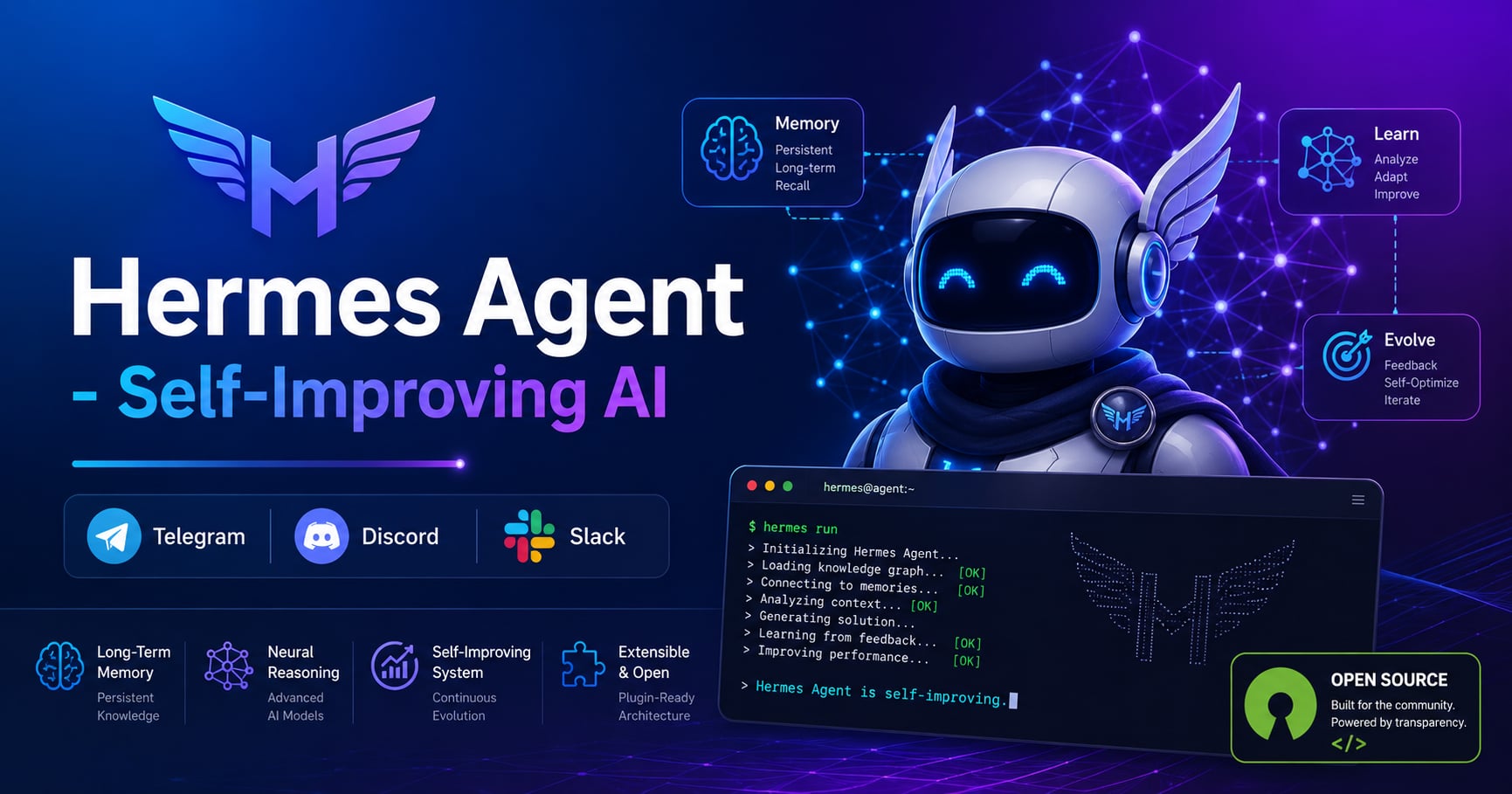
You ask your AI assistant to help with a project. It solves the problem brilliantly. The next day, you return with a similar task and the AI has forgotten everything, so you explain the context again from scratch. What if your AI assistant could remember everything, learn from every task, and build reusable skills that improve over time?
Hermes Agent is an open-source autonomous AI agent built by Nous Research that does exactly that. It is not a chatbot or a coding copilot tethered to an IDE. Hermes is a persistent, self-improving agent that lives on your server, remembers your projects, and gets smarter the longer it runs.
This guide explains what Hermes Agent is, how it works, what makes it unique, and how to get started using it.
Table of Contents
Open Table of Contents
- What Is Hermes Agent?
- How Hermes Agent Works
- Key Features of Hermes Agent
- Hermes Agent vs Other AI Agents
- Real-World Use Cases
- Architecture and Technical Design
- Getting Started with Hermes Agent
- Hermes Agent Skills System
- Multi-Platform Gateway
- Security and Privacy
- Frequently Asked Questions (FAQs)
- 1. What is Hermes Agent and how is it different from other AI assistants?
- 2. How does Hermes Agent’s persistent memory system work?
- 3. What are skills in Hermes Agent and how are they created?
- 4. How does Hermes Agent handle security for command execution?
- 5. What execution backends does Hermes Agent support and when would you use each?
- 6. How does the multi-platform gateway work and what are the benefits?
- 7. What is the Nous Portal and why would you use it?
- 8. How does Hermes Agent compare to Aider for AI-assisted coding?
- 9. Can Hermes Agent run completely offline or air-gapped?
- 10. What real-world problems does Hermes Agent solve better than traditional automation tools?
- Conclusion
- References
- YouTube Videos
What Is Hermes Agent?
Hermes Agent is an open-source autonomous AI agent developed by Nous Research and released in February 2026. Unlike traditional chatbots or AI assistants, Hermes is designed to be a persistent, self-hosted agent that remembers your preferences, learns from experience, and builds its own skills over time.
Core Characteristics
Hermes Agent has several defining features:
- Persistent Memory: Remembers your projects, preferences, and context across every session. The longer it runs, the better it knows you.
- Self-Improving: Automatically creates reusable skills when it solves hard problems. Skills are searchable, shareable, and compatible with the agentskills.io open standard.
- Self-Hosted: All data stays on your machine. No cloud lock-in, no telemetry, no tracking.
- Multi-Platform: Works on Telegram, Discord, Slack, WhatsApp, Signal, and CLI simultaneously from a single gateway process.
- MIT License: Completely open source. You can audit every line of code.
Why Hermes Agent Exists
Most AI assistants are stateless. Every conversation starts from zero. You re-explain your codebase structure, your deployment process, your team conventions, and your project goals repeatedly. Hermes Agent was built to solve this exact problem by maintaining a closed learning loop where the agent curates its own memory, writes skills from experience, and recalls past conversations through full-text search with LLM summarization.
How Hermes Agent Works
Hermes Agent runs as a daemon process on your server (Linux, macOS, or Windows via WSL2). It connects to your chosen LLM provider (OpenAI, Anthropic, OpenRouter, Nous Portal, or your own endpoint) and provides both a full-featured terminal interface and multi-platform messaging gateway.
Here is the high-level flow:
flowchart TD
    A[User Input\nCLI or Messaging Platform] --> B[Hermes Gateway]
    B --> C[Agent Core]
    C --> D[LLM Provider\nOpenAI, Anthropic, etc.]
    D --> C
    C --> E[Memory System]
    C --> F[Skills System]
    C --> G[Tool Execution\nTerminal, Browser, etc.]
    E --> C
    F --> C
    G --> C
    C --> B
    B --> H[Response\nCLI or Messaging Platform]
Data Flow Walkthrough
- User sends a message via CLI, Telegram, Discord, or another platform.
- Gateway routes the message to the agent core.
- Agent core retrieves relevant context from memory and searches existing skills.
- LLM generates a response with tool calls if needed (run code, search web, execute commands).
- Tools execute in the configured backend (local terminal, Docker, SSH, cloud).
- Agent updates memory with new facts, preferences, or insights.
- Agent writes a skill if the task was complex and reusable.
- Response is delivered back to the user on the original platform.
This loop continues across sessions. Each interaction enriches the agent’s memory and skill library.
Key Features of Hermes Agent
1. Persistent Memory
Hermes Agent maintains structured memory that persists across all sessions. It tracks:
- User preferences: Your coding style, preferred tools, frequently used commands.
- Project context: Directory structures, build systems, environment variables.
- Task history: What problems you have solved before and how.
Memory is stored locally in ~/.hermes/ and never leaves your machine unless you explicitly configure cloud sync. The agent periodically nudges itself to persist important knowledge into memory files that are loaded into future conversations.
2. Automated Skill Creation
When Hermes solves a complex problem, it writes a skill document (in markdown format) that captures the solution process. Skills are reusable procedures that the agent can invoke in future conversations.
For example, if you ask Hermes to “set up a Python FastAPI project with Poetry, Docker, and GitHub Actions CI”, it will:
- Solve the task step-by-step.
- Write a skill document:
setup-fastapi-poetry-docker.md. - Register the skill so it appears in
/skillsand can be invoked with/<skill-name>.
Skills follow the agentskills.io open standard, so you can share them across tools and teams.
3. Multi-Platform Gateway
Hermes Agent runs a unified messaging gateway that connects to multiple platforms simultaneously:
- Telegram: Voice memo transcription, inline commands, file uploads.
- Discord: Server and DM support, slash commands, thread continuity.
- Slack: Workspace integration, channel notifications.
- WhatsApp: Personal assistant on your phone.
- Signal: End-to-end encrypted messaging.
- CLI: Full terminal UI with multiline editing, autocomplete, and streaming tool output.
You can start a conversation on Telegram while commuting, continue it in your terminal when you reach your desk, and get notifications on Discord if the agent finishes a long-running task.
4. Scheduled Automations
Hermes includes a built-in cron scheduler. You can set up automated tasks like:
- Daily project status reports delivered to Slack.
- Nightly database backups with results sent via Telegram.
- Weekly GitHub issue summaries posted to Discord.
- Morning briefings with calendar events and to-do lists.
All cron tasks are defined in natural language and run unattended.
5. Parallel Sub-Agents
For complex workflows, Hermes can spawn isolated sub-agents that work in parallel. Each sub-agent gets its own conversation thread and terminal environment. For example:
- Main agent coordinates.
- Sub-agent 1 analyzes logs.
- Sub-agent 2 runs tests.
- Sub-agent 3 updates documentation.
Results are aggregated and returned to you in a single response. This dramatically reduces the total time for multi-step pipelines.
6. Tool Ecosystem
Hermes Agent comes with 40+ built-in tools:
- Terminal execution: Run shell commands, scripts, and binaries.
- Web browsing: Full browser automation with Playwright (navigate, click, type, screenshot).
- File operations: Read, write, search, and modify files.
- GitHub integration: Create issues, PRs, review code, manage repositories.
- Web search: Firecrawl, Google search, DuckDuckGo.
- Image generation: DALL·E, Stable Diffusion via FAL.
- Text-to-speech: OpenAI TTS, ElevenLabs.
- Vision analysis: Analyze images and screenshots with multimodal models.
- MCP integration: Connect any Model Context Protocol server for extended capabilities.
7. Multiple LLM Providers
Hermes is not locked to a single vendor. You can switch between providers with hermes model:
- Nous Portal: Native OAuth integration, 300+ models, includes tool gateway (web search, image gen, TTS, cloud browser) under one subscription.
- OpenRouter: Access 200+ models via API key.
- OpenAI: GPT-4, GPT-4 Turbo, O1.
- Anthropic: Claude 3.5 Sonnet, Claude 3 Opus.
- NVIDIA NIM: Nemotron models.
- Xiaomi MiMo: Chinese LLM provider.
- z.ai/GLM: Zhipu AI models.
- Kimi/Moonshot: Moonshot AI models.
- MiniMax: MiniMax models.
- Hugging Face: Any model on Hugging Face Inference API.
- vLLM: Self-hosted local models.
- Custom API: Any OpenAI-compatible endpoint.
You can switch models mid-conversation with no code changes.
8. Execution Backends
Hermes Agent supports six execution backends for running terminal commands:
- Local: Run commands directly on your machine.
- Docker: Isolated container with security hardening (read-only root, dropped capabilities, PID limits).
- SSH: Execute commands on remote servers.
- Singularity: HPC container runtime for scientific computing.
- Modal: Serverless cloud execution that hibernates when idle and costs nearly nothing between sessions.
- Daytona: Persistent cloud development environments with on-demand wake.
This flexibility lets you run Hermes on a $5 VPS, a GPU cluster, or serverless infrastructure depending on your workload.
Hermes Agent vs Other AI Agents
How does Hermes Agent compare to other popular AI assistants and agents?
| Feature | Hermes Agent | GitHub Copilot | ChatGPT | Cursor | Aider |
|---|---|---|---|---|---|
| Persistent Memory | ✓ Cross-session memory | ✗ Stateless | ✗ Per-conversation only | ✗ Per-workspace cache | ✗ Stateless |
| Automated Skill Creation | ✓ Writes reusable skills | ✗ No skill system | ✗ No skill system | ✗ No skill system | ✗ No skill system |
| Multi-Platform | ✓ CLI + Telegram + Discord + Slack + WhatsApp + Signal | ✗ IDE only | ✗ Web + mobile app | ✗ IDE only | ✗ CLI only |
| Scheduled Automations | ✓ Built-in cron | ✗ No automation | ✗ No automation | ✗ No automation | ✗ No automation |
| Self-Hosted | ✓ All data local | ✗ Cloud only | ✗ Cloud only | ✗ Cloud only | ✓ Local LLM support |
| Open Source | ✓ MIT License | ✗ Proprietary | ✗ Proprietary | ✗ Proprietary | ✓ Apache 2.0 |
| Sub-Agent Parallelization | ✓ Spawn isolated agents | ✗ No | ✗ No | ✗ No | ✗ No |
| Tool Ecosystem | 40+ built-in tools + MCP | Limited to IDE context | Limited plugins | Limited to IDE context | Git + code editing |
Key Differentiators
1. Persistence: Hermes remembers everything. Most AI assistants forget your context between sessions.
2. Learning Loop: Hermes writes skills automatically. Other tools require you to manually create templates or prompts.
3. Platform Flexibility: Hermes works wherever you are (CLI, Telegram, Discord). Copilot and Cursor are locked to the IDE.
4. Self-Hosted: All Hermes data stays on your machine. No cloud dependency, no vendor lock-in.
Real-World Use Cases
Use Case 1: DevOps Automation
A DevOps engineer uses Hermes Agent to automate monitoring and incident response:
- Morning briefing: Hermes sends a daily Slack message with server health metrics, failed cron jobs, and critical alerts.
- Automated remediation: When a disk space alert fires, Hermes SSHs into the server, identifies large log files, compresses them, and sends a summary to Telegram.
- Deployment tracking: After each deployment, Hermes runs smoke tests, checks error logs, and posts a status update to Discord.
All of this runs unattended via cron jobs. The engineer set it up once and Hermes handles it autonomously.
Use Case 2: Research Workflow
A machine learning researcher uses Hermes Agent to manage experiments:
- Batch processing: Hermes generates thousands of training trajectories in parallel with automatic checkpointing.
- Experiment tracking: Hermes logs hyperparameters, metrics, and results to a database and sends progress updates to Discord.
- Literature review: Hermes searches arXiv, extracts key findings, and summarizes papers into a weekly digest delivered via email.
Hermes keeps track of every experiment configuration in memory so the researcher can ask “What hyperparameters did I use for the model that got 95% accuracy last month?” and get an instant answer.
Use Case 3: Personal Assistant
A developer uses Hermes Agent as a persistent personal assistant:
- Task reminders: “Remind me to review the PR tomorrow at 9am” → Hermes sends a Telegram message at the scheduled time.
- Context switching: The developer starts a conversation in the terminal while coding, continues it on Telegram during lunch, and gets the final answer on Discord when back at the desk.
- Project memory: Hermes remembers the directory structure, build commands, test scripts, and deployment process for every project. No need to re-explain context.
The developer has been using Hermes for six months. The agent now knows their coding style, preferred tools, common debugging steps, and project conventions better than any documentation.
Use Case 4: Open-Source Contribution
An open-source maintainer uses Hermes Agent to manage GitHub repositories:
- Issue triage: Hermes reads new GitHub issues, labels them, and posts summaries to Slack.
- PR reviews: Hermes analyzes pull requests, checks for common mistakes, and leaves inline comments with suggestions.
- Release automation: Hermes generates release notes from commit history, creates a GitHub release, and announces it on Discord.
Hermes has a skill for each of these workflows. The maintainer can invoke them with /triage-issues, /review-pr, and /create-release commands.
Architecture and Technical Design
Core Components
Hermes Agent is built with a modular architecture:
flowchart TD
    A[CLI / Gateway] --> B[Agent Core]
    B --> C[Memory Provider]
    B --> D[Skills Registry]
    B --> E[Tool Registry]
    B --> F[LLM Provider]
    C --> G[Local Storage\n~/.hermes/memory/]
    D --> H[Skills Storage\n~/.hermes/skills/]
    E --> I[Tool Implementations]
    F --> J[OpenAI / Anthropic / OpenRouter / etc.]
    I --> K[Execution Backend\nLocal / Docker / SSH / Cloud]
Memory System
Hermes uses a three-tier memory system:
- Working memory: Held in the current conversation context (last N messages).
- Short-term memory: Recent facts stored in memory files (project context, user preferences).
- Long-term memory: FTS5 full-text search index over all past conversations with LLM-powered summarization for retrieval.
The agent automatically decides when to promote facts from working memory to short-term memory based on their importance and reusability.
Skills System
Skills are markdown documents stored in ~/.hermes/skills/ that follow a standard format:
---
name: setup-fastapi-poetry-docker
description: Set up a Python FastAPI project with Poetry, Docker, and GitHub Actions CI
tags: [python, fastapi, docker, poetry, ci]
---

## Overview

This skill sets up a production-ready FastAPI project with Poetry dependency management, Docker containerization, and GitHub Actions continuous integration.

## Steps

1. Initialize Poetry project with `poetry init`
2. Add FastAPI and Uvicorn dependencies
3. Create Dockerfile with multi-stage build
4. Write GitHub Actions workflow file
5. Add health check endpoint
6. Configure linting and testing

## Implementation

[Detailed step-by-step commands and code examples]
Skills are automatically discovered, indexed, and made available via /skills and /<skill-name> commands.
Tool Registry
Tools are Python functions registered with the agent core. Each tool specifies:
- Name: Unique identifier (e.g.,
terminal_run_command). - Parameters: Input schema with types and descriptions.
- Implementation: Function that performs the action.
- Security level: Whether the tool requires approval before execution.
Hermes supports command approval patterns so you can allowlist safe commands and require manual confirmation for destructive operations.
Getting Started with Hermes Agent
Installation
Hermes Agent installs with a single command on Linux, macOS, or WSL2:
curl -fsSL https://hermes-agent.nousresearch.com/install.sh | bashThe installer handles everything automatically:
- Installs uv (Python package manager)
- Installs Python 3.11 if not present
- Clones the Hermes Agent repository
- Sets up the virtual environment
- Installs all dependencies
- Adds Hermes to your PATH
No sudo required. All files go into ~/.hermes/.
For native Windows (PowerShell):
iex (irm https://hermes-agent.nousresearch.com/install.ps1)The Windows installer includes Git Bash, Node.js, ripgrep, and ffmpeg.
Initial Setup
After installation, reload your shell and run the setup wizard:
source ~/.bashrc
hermes setup
The setup wizard walks you through:
- Choosing an LLM provider: Nous Portal (OAuth), OpenRouter (API key), or custom endpoint.
- Selecting a model: Pick from 300+ models depending on your provider.
- Configuring tools: Enable or disable specific tools (web search, image generation, TTS, browser).
- Setting up the terminal backend: Choose local, Docker, SSH, or cloud execution.
You can also configure individual settings with hermes config set:
hermes config set model.provider openai
hermes config set model.name gpt-4-turbo
hermes config set tools.web_search.enabled true
Starting a Conversation
Once configured, start chatting:
hermesYou will see a full terminal UI with:
- Multiline editing (Ctrl+O to send)
- Slash-command autocomplete
- Streaming tool output
- Conversation history navigation
- Interrupt and redirect (Ctrl+C to stop the current task and send a new message)
Try asking:
You: What files are in this directory?Hermes will run ls or Get-ChildItem (depending on your OS) and return the results.
You: Create a Python script that fetches the top Hacker News posts and saves them to a JSON file.Hermes will write the script, execute it, and show you the output.
Key Commands
/newor/reset: Start a fresh conversation./model [provider:model]: Switch to a different model mid-conversation./skills: Browse available skills./<skill-name>: Invoke a specific skill./memory: View current memory contents./usage: Check token usage and costs./compress: Compress conversation history to save tokens./undoor/retry: Undo the last turn or retry with a different approach./help: Show all available commands.
Updating Hermes
Hermes Agent is actively developed. To update to the latest version:
hermes updateThis pulls the latest changes from GitHub and reinstalls dependencies.
Hermes Agent Skills System
The skills system is one of Hermes Agent’s most powerful features. Skills are reusable procedures that the agent creates automatically as it solves problems.
How Skills Are Created
When you ask Hermes to perform a complex task, it:
- Solves the task step-by-step.
- Evaluates whether the solution is worth saving (was it multi-step, involved specialized knowledge, or required domain expertise?).
- Writes a skill document in markdown format with a clear name, description, tags, and implementation steps.
- Saves the skill to
~/.hermes/skills/user-created/. - Registers the skill so it appears in
/skillsand can be invoked with/<skill-name>.
Skill Format
Skills follow the agentskills.io open standard:
---
name: deploy-to-kubernetes
description: Deploy a containerized application to Kubernetes with Helm
tags: [kubernetes, helm, devops, deployment]
author: Hermes Agent
created: 2026-06-15
---

## Overview

This skill deploys a Docker container to a Kubernetes cluster using Helm charts with environment-specific values.

## Prerequisites

- kubectl configured with cluster access
- Helm 3 installed
- Docker image pushed to registry

## Steps

1. Validate kubectl context: `kubectl config current-context`
2. Create Helm chart if not exists: `helm create <app-name>`
3. Customize values.yaml with image, replicas, environment variables
4. Install or upgrade release: `helm upgrade --install <release-name> <chart-path> --namespace <namespace>`
5. Verify deployment: `kubectl get pods -n <namespace>`

## Example

[Full example with actual commands and output]
Browsing and Using Skills
List all available skills:
hermes skillsOr use the /skills command in a conversation.
Invoke a skill by name:
hermes /deploy-to-kubernetesOr in a conversation:
You: /deploy-to-kubernetesHermes will guide you through the skill steps, asking for any required parameters (app name, namespace, environment).
Sharing Skills
Since skills follow an open standard, you can:
- Export skills to a team repository.
- Import skills from agentskills.io (a community skills hub).
- Share skills as markdown files via GitHub, Slack, or email.
To install a community skill:
hermes skills install https://agentskills.io/skills/setup-nextjs-tailwind-vercelHermes downloads the skill, validates it, and adds it to your local registry.
Multi-Platform Gateway
Hermes Agent’s messaging gateway connects multiple platforms to a single agent instance.
Supported Platforms
- Telegram: Private or group chats, voice memo transcription, file uploads.
- Discord: Server channels, DMs, slash commands, thread support.
- Slack: Workspace integration, channel mentions, app commands.
- WhatsApp: Personal messaging via WhatsApp Business API or twilio.
- Signal: End-to-end encrypted messaging.
- Email: Send commands via email, receive responses in inbox.
Setting Up the Gateway
Run the gateway setup wizard:
hermes gateway setupThe wizard will ask:
- Which platforms do you want to enable? (select one or more)
- Platform credentials: Bot tokens, API keys, phone numbers.
- Allowed users: Whitelist specific user IDs to prevent unauthorized access.
- Working directory: Where the agent should execute commands.
For Telegram:
- Create a bot with @BotFather.
- Get your bot token.
- Paste it into the wizard.
- Send
/startto your bot to begin chatting.
For Discord:
- Create a bot in the Discord Developer Portal.
- Enable message content intent.
- Copy the bot token and paste it into the wizard.
- Invite the bot to your server.
- Send a DM or mention the bot in a channel.
Running the Gateway
Start the gateway:
hermes gatewayOr install it as a systemd service (Linux) or launchd service (macOS) to run automatically on boot:
hermes gateway installThe gateway runs in the background and delivers messages to Hermes Agent from all connected platforms.
Cross-Platform Continuity
One of the most powerful features is cross-platform conversation continuity. You can start a conversation on Telegram while commuting:
You (Telegram): Analyze the logs in /var/log/app.log and summarize errors from the last hour.Hermes starts working. When you reach your desk, you can continue the conversation in the CLI:
hermesYou will see the same conversation history. You can interrupt Hermes mid-task, ask follow-up questions, or redirect to a different subtask.
When Hermes finishes, it sends a notification to Discord (if configured):
Hermes (Discord): Analysis complete. Found 47 errors. Most common: database connection timeout (23 occurrences). Full report attached.All platforms share the same conversation state, memory, and skill library.
Security and Privacy
Hermes Agent is designed with security and privacy as core principles.
Self-Hosted by Default
All data stays on your machine. Hermes does not send telemetry, usage statistics, or diagnostic data to any remote server. The only network requests are:
- Calls to your chosen LLM provider (OpenAI, Anthropic, OpenRouter, etc.).
- Tool execution that explicitly requires network access (web search, GitHub API).
Command Approval System
Hermes supports a flexible command approval system. You can configure:
- Allowlist patterns: Commands that always run without approval (e.g.,
ls,cat,echo). - Denylist patterns: Commands that are always blocked (e.g.,
rm -rf /). - Approval required: Commands that require manual confirmation before execution (e.g.,
git push,docker run).
Example configuration:
security:
  command_approval:
    enabled: true
    allowlist:
      - "ls"
      - "cat *"
      - "echo *"
      - "git status"
    denylist:
      - "rm -rf /"
      - "dd if=*"
    require_approval:
      - "git push"
      - "docker run"
      - "kubectl delete"
Container Isolation
If you use the Docker execution backend, Hermes runs all terminal commands inside a hardened container with:
- Read-only root filesystem: The container cannot modify system files.
- Dropped capabilities: No privilege escalation (CAP_SYS_ADMIN, CAP_NET_RAW, etc. are dropped).
- PID limits: Prevents fork bombs.
- Resource limits: CPU, memory, and disk quotas.
This isolates potentially dangerous commands from your host system.
User Whitelisting
For the messaging gateway, you can whitelist specific user IDs. Only approved users can send commands to your agent. Unauthorized users receive a “Not authorized” message.
Example configuration:
gateway:
  telegram:
    allowed_users:
      - 123456789  # Your Telegram user ID
  discord:
    allowed_users:
      - 987654321012345678  # Your Discord user ID
No Tracking, No Telemetry
Hermes Agent does not phone home. There is no analytics, no crash reporting, no usage tracking. The code is MIT licensed and fully auditable. If you want to verify what network requests Hermes makes, you can:
- Review the source code on GitHub.
- Run Hermes behind a firewall or in an air-gapped environment.
- Inspect network traffic with tools like Wireshark or tcpdump.
Frequently Asked Questions (FAQs)
1. What is Hermes Agent and how is it different from other AI assistants?
Hermes Agent is an open-source autonomous AI agent built by Nous Research. Unlike traditional AI assistants like ChatGPT or GitHub Copilot that are stateless and forget context between sessions, Hermes maintains persistent memory across all interactions. It remembers your projects, preferences, and past solutions. Additionally, Hermes has a closed learning loop where it automatically creates reusable skills when solving complex tasks, making it smarter over time. It runs self-hosted on your machine, supports multiple platforms simultaneously (CLI, Telegram, Discord, Slack, WhatsApp, Signal), and includes built-in scheduled automations. All data stays local with no cloud dependency or telemetry.
2. How does Hermes Agent’s persistent memory system work?
Hermes Agent uses a three-tier memory architecture. Working memory holds the current conversation context (last N messages). Short-term memory stores recent facts in structured markdown files that persist across sessions (project context, user preferences, common commands). Long-term memory consists of a full-text search index (using SQLite FTS5) over all past conversations with LLM-powered summarization for retrieval. The agent automatically decides when to promote facts from working memory to short-term memory based on their importance and reusability. It periodically nudges itself to persist critical knowledge into memory files that are loaded into future conversations. This creates a continuously growing knowledge base that improves the agent’s effectiveness over time without requiring manual input from the user.
3. What are skills in Hermes Agent and how are they created?
Skills in Hermes Agent are reusable procedures captured as markdown documents that follow the agentskills.io open standard. When Hermes solves a complex multi-step problem, it evaluates whether the solution is worth saving for future use. If so, it automatically writes a skill document with a clear name, description, tags, prerequisites, implementation steps, and examples. Skills are stored in ~/.hermes/skills/ and can be invoked with /<skill-name> commands or browsed with /skills. Skills can be shared across teams, imported from community hubs like agentskills.io, or exported to Git repositories. This automated skill creation means the agent builds a library of domain-specific procedures without requiring manual template creation, making it increasingly capable in your specific problem domains over time.
4. How does Hermes Agent handle security for command execution?
Hermes implements a multi-layered security approach. First, it supports a command approval system with allowlist patterns (commands that run without approval like ls, cat), denylist patterns (always blocked like rm -rf /), and require-approval patterns (manual confirmation needed like git push). Second, when using the Docker execution backend, all commands run inside hardened containers with read-only root filesystems, dropped capabilities (no privilege escalation), PID limits to prevent fork bombs, and resource quotas for CPU and memory. Third, the messaging gateway supports user whitelisting so only approved user IDs can send commands. Finally, Hermes is self-hosted with no telemetry or phone-home functionality, so all security policies remain under your full control. You can audit the MIT-licensed source code to verify exactly what network requests are made.
5. What execution backends does Hermes Agent support and when would you use each?
Hermes Agent supports six execution backends with different use cases. Local backend runs commands directly on your machine and is best for personal use when you trust the agent’s actions. Docker backend provides container isolation with security hardening and is ideal for production environments where you need to limit blast radius. SSH backend executes commands on remote servers and is perfect for DevOps workflows managing multiple machines. Singularity backend is designed for HPC environments and scientific computing clusters that require reproducible container execution. Modal backend offers serverless cloud execution that hibernates when idle, making it cost-effective for intermittent workloads that need GPUs or high compute. Daytona backend provides persistent cloud development environments with on-demand wake, suitable for teams needing consistent reproducible environments. You can switch backends based on the task—use local for quick scripts, Docker for isolated testing, SSH for production deployments, and cloud backends for resource-intensive batch processing.
6. How does the multi-platform gateway work and what are the benefits?
The multi-platform gateway is a unified messaging router that connects Hermes Agent to multiple platforms simultaneously from a single daemon process. It supports Telegram, Discord, Slack, WhatsApp, Signal, and email, all sharing the same conversation state, memory, and skills. When you send a message on any platform, the gateway routes it to the agent core, which processes it and sends the response back to the originating platform. The key benefit is cross-platform continuity—you can start a conversation on Telegram during your commute, continue it in the CLI terminal when you reach your desk, and receive completion notifications on Discord. All platforms access the same agent instance, so there is no context loss when switching. The gateway runs as a systemd or launchd service for automatic startup on boot, and you can configure per-platform settings like allowed users, working directories, and command approval policies.
7. What is the Nous Portal and why would you use it?
Nous Portal is a unified API gateway provided by Nous Research that consolidates access to 300+ language models and multiple tool APIs under a single subscription. Instead of managing separate API keys for the LLM provider (OpenAI, Anthropic), web search (Firecrawl), image generation (FAL), text-to-speech (OpenAI TTS), and cloud browser automation (Browser Use), you authenticate once via OAuth and get access to all of them through the Nous Portal Tool Gateway. Hermes Agent has native integration—run hermes setup --portal to configure it in one command. This is particularly useful for getting started quickly without collecting multiple API keys, and for teams that want centralized billing and usage tracking. You can still bring your own keys for individual services if preferred—the Tool Gateway is per-backend, not all-or-nothing.
8. How does Hermes Agent compare to Aider for AI-assisted coding?
Both Hermes Agent and Aider are open-source AI coding assistants, but they serve different purposes. Aider is a specialized command-line tool focused exclusively on editing code files with Git integration. It excels at making targeted code changes with automatic commit messages and supports local LLMs. However, Aider is stateless (no memory between sessions), has no skill creation system, no multi-platform support, and no scheduled automation. Hermes Agent is a general-purpose autonomous agent that includes code editing as one of 40+ tools but goes far beyond that. It maintains persistent memory, automatically creates reusable skills, runs on CLI and multiple messaging platforms, supports scheduled cron jobs, can spawn parallel sub-agents, and offers six execution backends including cloud and HPC. If you only need Git-aware code editing with AI, Aider is simpler. If you want a persistent agent that learns your workflows, automates tasks, and works across platforms, Hermes Agent is the better choice.
9. Can Hermes Agent run completely offline or air-gapped?
Hermes Agent can run in a restricted network environment but not completely offline since it requires access to an LLM API. However, you can achieve near-offline operation by self-hosting a local LLM using vLLM, Ollama, or another OpenAI-compatible inference server. Point Hermes to your local endpoint with hermes config set model.endpoint http://localhost:8000/v1. In this configuration, the only network dependency is your local LLM server. All Hermes Agent code, memory, skills, and tool execution run locally with no external API calls (assuming you disable tools that require internet access like web search and image generation). This makes Hermes suitable for air-gapped or high-security environments where data cannot leave the network. The MIT license allows you to audit the source code to verify no unauthorized network requests are made.
10. What real-world problems does Hermes Agent solve better than traditional automation tools?
Traditional automation tools like cron scripts, shell scripts, and CI/CD pipelines are rigid—you write explicit step-by-step instructions and they break when conditions change. Hermes Agent solves the brittleness problem by using LLM reasoning to adapt to unexpected situations. For example, if you ask Hermes to “deploy the staging branch and notify me when done,” it will detect if the Docker daemon is not running, start it automatically, handle transient network errors with retries, and send you a summary of what went wrong if the deployment fails. Traditional scripts would just crash with a cryptic error. Hermes also solves the context-switching problem—DevOps engineers waste time re-explaining their infrastructure setup to new team members or rediscovering commands they ran three months ago. Hermes remembers everything: server addresses, deployment procedures, common failure modes, and recovery steps. Finally, Hermes unifies disparate tools—instead of maintaining separate scripts for Slack notifications, GitHub automation, log analysis, and cron jobs, you have one agent that orchestrates all of them through natural language commands and skills that improve over time.
Conclusion
Hermes Agent represents a significant shift in how we interact with AI assistants. Instead of stateless chatbots that forget context between sessions, Hermes provides a persistent, self-improving agent that remembers your preferences, learns from every task, and builds its own library of reusable skills.
Key takeaways:
- Persistent memory means you never have to re-explain context. Hermes remembers your projects, coding conventions, and common workflows across all sessions.
- Automated skill creation turns complex solutions into reusable procedures. The longer you use Hermes, the more capable it becomes in your specific problem domains.
- Multi-platform support lets you interact with Hermes wherever you are—CLI, Telegram, Discord, Slack, WhatsApp, or Signal—all sharing the same conversation state.
- Scheduled automations enable unattended workflows like daily reports, nightly backups, and periodic monitoring alerts delivered to your preferred platform.
- Self-hosted and open source means all data stays on your machine. No cloud lock-in, no telemetry, no vendor dependency.
- Flexible execution backends let you run Hermes locally, in Docker containers, on remote servers via SSH, or on serverless cloud infrastructure that costs nearly nothing when idle.
Whether you are a developer automating repetitive tasks, a DevOps engineer managing infrastructure, a researcher running batch experiments, or someone who wants a truly persistent AI assistant, Hermes Agent provides a powerful foundation that grows with you.
The next evolution in AI agents is not about smarter models—it is about agents that remember, learn, and adapt over time. Hermes Agent is built for that future.
Ready to try it? Install Hermes Agent with a single command and start building your own persistent AI assistant today: https://github.com/NousResearch/hermes-agent
References
-
Hermes Agent Official Website - Nous Research
https://hermes-agent.org/ -
Hermes Agent GitHub Repository - NousResearch
https://github.com/nousresearch/hermes-agent -
Hermes Agent Documentation - Getting Started Guide
https://hermes-agent.nousresearch.com/docs/
YouTube Videos
-
“Hermes Agent - Full Course & Setup Guide - For COMPLETE Beginners”
https://www.youtube.com/watch?v=mTYxpIRK7xA -
“Hermes Agent Full Setup: How to Build Your Own Self-Improving AI Agent”
https://www.youtube.com/watch?v=fNj1CUuTMik -
“FULL Hermes Agent Tutorial For Beginners in 2026!“
https://www.youtube.com/watch?v=4ftONmdO9yo